Local SEO for 100+ Locations: How to Manage Monitoring Across Multiple Branches

Table of contents

Local SEO tool
for agencies
Automate your local SEO
and track Google Maps visibility
Managing local SEO for a single Business Profile is one thing. Managing a network of 100+ branches is a completely different scale of challenge. In practice, the biggest issue is not “ranking” itself, but maintaining order: consistent data, clear permissions, regular activity, and a fast response to changes. Without that, even a strong central strategy starts to fall apart at the local level.
For years, Google has emphasized that complete and up-to-date Business Profile information affects local visibility, and that categories, business hours, and other profile fields matter for matching user queries [1][2][3]. At scale, manual management becomes an operational risk.
That is exactly why, in multi-location networks, local SEO needs to be treated as a system management process - not just as a set of individual actions.
TL;DR
In a network of 100+ locations, local SEO only works well when monitoring and profile management are fully synchronized. The essentials are: consistent NAP data, centralized updates, role-based permissions, heatmaps for each area, automation of posts and review responses, and 24/7 alerts. At this scale, the winner is not the brand with the “best strategy on paper,” but the one that can maintain operational order across the entire network.
Centralized NAP and GBP data instead of manually editing 100+ profiles
The most costly mistake in large organizations is inconsistent NAP data - name, address, and phone number. On top of that, there are business hours, categories, attributes, and descriptions. Every inconsistency weakens the coherence of the business entity, and with 100+ locations, chaos is easy to create.
This becomes especially visible during seasonal changes, for example before holidays. Google provides a dedicated special hours feature and allows businesses to mark temporary changes to opening hours so users can see accurate information about whether a location is open [2]. If every change has to be entered manually one by one, the risk of delays and mistakes increases.
That is why Bulk Location Management in Rating Captain becomes critical - mass editing of data across multiple profiles at once. Within the product ecosystem, modules such as Locations Bulk Editing and Location Groups are clearly designed to organize work across a larger number of profiles [4][5]. In practice, this means headquarters can update selected fields across the entire network at once, instead of correcting each branch individually.
From an SEO perspective, this is not just about saving time. Above all, it means stronger data consistency, less “noise” for Google, and lower risk of local ranking drops caused by incorrect settings.
Roles and permissions: delegating tasks without losing control of the network
In multi-location businesses and franchises, the same problem usually appears: headquarters wants to maintain standards, while local teams want to move quickly and do things their own way. And both sides are right. Local staff know their customers and neighborhood realities best, but without central control, inconsistency is almost inevitable.
That is why a permissions-based operating model is so important. In Rating Captain, modules such as Agency Team Management and Location Groups help divide responsibilities and organize access to specific groups of profiles [4][5][6].
In practice, a good model looks like this:
-
headquarters monitors the entire network, trends, and results,
-
regional managers have access to their assigned groups of locations,
-
local teams are responsible for operational work such as photos, posts, and review responses,
-
while not having access to every profile across the whole organization.
This reduces the risk of accidental or unauthorized changes while still allowing local teams to act quickly. For networks with 100+ locations, this is critical, because the problem is rarely the lack of strategy - it is usually the lack of control over execution.
Hyper-local network monitoring: the end of “average position” for the whole brand
With many locations, an average ranking for the entire brand is of little use. A marketing director needs to know which branch is winning locally and which one is losing in a specific neighborhood. This is where a basic “rankings report” stops being enough.
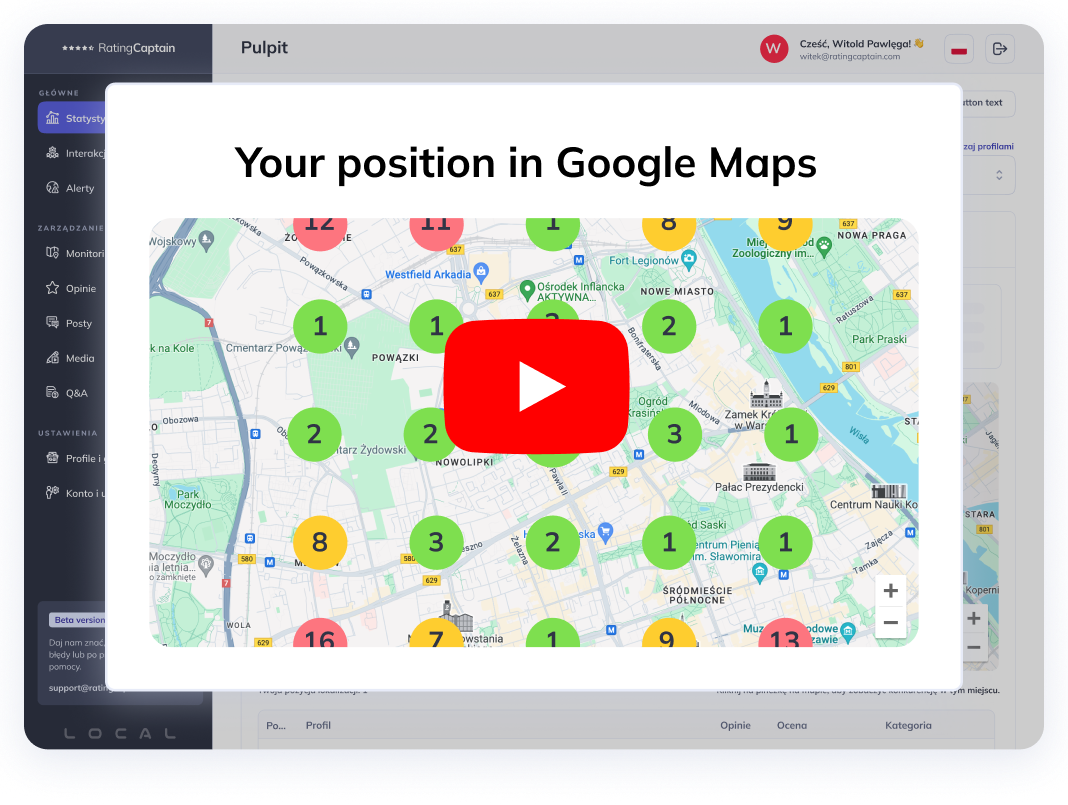
Rating Captain bases its monitoring on data from Google Search, Google Maps, and Google Business Profile, with rankings mapped to specific geographic points [4][6]. As a result, Local SERP Map and grid-based visibility reports show the real picture of a city rather than one averaged number. The product page explicitly states that visibility can be analyzed street by street and neighborhood by neighborhood [6].
This is especially important for networks:
-
a branch in Poznań may dominate in one part of the city and lose in another,
-
a branch in another city may have better reviews but weaker map visibility,
-
headquarters can identify “weak links” faster and direct extra action where it is needed.
In this way, the heatmap becomes an audit tool for the entire network, not just a report for one location.
Scaling GBP posts and review management without expanding the team
With 100 profiles, the biggest operational challenge is consistency. Just maintaining activity in GBP and replying to reviews can take a huge amount of time. And Google still favors active profiles with up-to-date information and user engagement [1][3].
That is why, in a large network, automation features are essential - but without sacrificing quality. Rating Captain includes modules such as AI Post Writer and AI Review Responder, as well as post and media scheduling, all of which are clearly visible in the product feature structure [4][6][7].
The practical value of these modules for a multi-location network is straightforward:
-
each branch can have regular GBP posts without writing everything from scratch manually,
-
review responses can be scaled faster while maintaining a consistent communication standard,
-
headquarters can oversee quality, while local teams retain local context and knowledge.
This matters not only for SEO. Review responses and an active profile build local trust, which later translates into phone calls, direction requests, and visits.
White-label reporting for franchises, partners, and branch managers
In networks and franchise systems, a report cannot exist only “for the SEO team.” It has to be understandable for a business partner, a branch owner, or a regional manager. That person usually does not want to look at 50 charts - they want to know:
-
is local visibility improving,
-
are calls and inquiries increasing,
-
is the profile performing better than it was a month ago.
Google Business Profile provides performance metrics, and Google documentation and APIs include user actions such as phone calls, website clicks, and direction requests [8][9]. These are exactly the indicators that best show the real impact of local activity.
In Rating Captain, the product structure includes Performance Reports, Rank Tracker Reports, and a White Label feature, which fits the needs of companies managing multiple locations and agencies serving franchise networks [4][5][6]. As a result, reporting can be:
-
easy for a local partner to understand,
-
consistent for headquarters,
-
ready to send in a branded format.
This makes internal communication much easier, because the conversation stops being about “SEO metrics” and starts being about the actual performance of a specific location.
24/7 profile protection and alerts as an early warning system for the entire network
The more locations you manage, the greater the risk that a problem will go unnoticed. It could be an incorrect hours update, an unauthorized data edit, or a sudden visibility drop at one branch. With 100+ profiles, these issues are very easy to miss if the team works manually.
That is why 24/7 Listings Protection and Real-time Alerts in Rating Captain act as a real warning system for the network. In the product feature structure, they are clearly defined as part of the protection and alerts layer [4][6]. This allows headquarters to react faster to unauthorized changes and reduce the risk of sales losses caused by incorrect profile information.
For large organizations, this is not an “extra.” It is a core part of operational security in local SEO.
According to a Rating Captain expert
When managing a network of multiple branches, the biggest mistakes usually do not come from a lack of strategy, but from operational chaos. That is why, in practice, the key is combining central control with local execution.
Karol Bocheński, Chief Marketing Officer at Rating Captain: In a network of 100+ locations, the winner is not the company that reacts manually to every issue, but the one that has a well-structured system: centralized data management, clear division of responsibility, and fast alerts. Only that combination gives you real control over the visibility of the entire network.
Managing scale in practice
In a network of 100+ locations, the greatest value comes from combining three things: bulk data editing, role-based permissions, and fast alerts. Instead of correcting every profile one by one, you can manage changes centrally while still giving local teams room for daily operational activity. This model shortens operational time, reduces the risk of errors, and helps maintain consistency across the entire Google Business Profile network [2][4][6].
Key takeaways: how to structure local SEO and monitoring in a 100+ branch network
At 100+ locations, local SEO stops being only about visibility and becomes an operational system. The biggest advantage comes not from isolated “tactics,” but from well-structured processes: centralized data management, sensible role allocation, hyper-local monitoring, automation of activity, and reporting that is clear for both headquarters and branch-level teams.
That is exactly why synchronizing activity across many locations requires tools that combine bulk editing, location groups, heatmaps, performance reports, white-label reporting, and alerts in one environment [4][5][6]. Then headquarters does not just “see the network” - it can actively manage it.
FAQ: SEO for multi-location businesses and branch network monitoring
What is the biggest SEO problem with 100+ locations?
Usually not the strategy itself, but operational chaos: inconsistent data, no clear role allocation, and responses to changes that are too slow.
Does the average brand ranking across the country mean anything for a branch network?
Very little. What matters much more is the local performance of each location and visibility in specific neighborhoods, which is what heatmaps and grids show.
What reports are best to show franchisees or branch managers?
Reports that combine local rankings with GBP business metrics, such as calls, clicks, and direction requests. Those are the easiest to translate into a clear assessment of performance.
References
[1] Google Business Profile Help, Tips to improve your local ranking on Google.
[2] Google Business Profile Help, Edit your business hours / special hours.
[3] Google Business Profile Help, Manage your business category.
[4] Rating Captain, product feature pages and product navigation.
[5] Rating Captain, Locations Bulk Editing / Agency Team Management / Pricing.
[6] Rating Captain, Local SEO Tool.
[7] Rating Captain, AI Post Writer and product feature sections.
[8] Google Business Profile Help, Understand your Business Profile performance.
[9] Google Business Profile API, Business Profile Performance API / Metric.
Share this article
Short description (you can edit)
Tip: you can edit the description before sharing on WhatsApp or adding as Facebook quote
Author of the post
Local SEO Specialist
Julia is responsible for local SEO activities and supports Rating Captain’s brand communication. She optimizes Google listings and co-creates strategies that enhance companies’ visibility in search results. She is passionate about consumer behavior and the latest trends in local digital marketing.
Please rate this article
Local SEO tool
for agencies
Automate your local SEO
and track Google Maps visibility